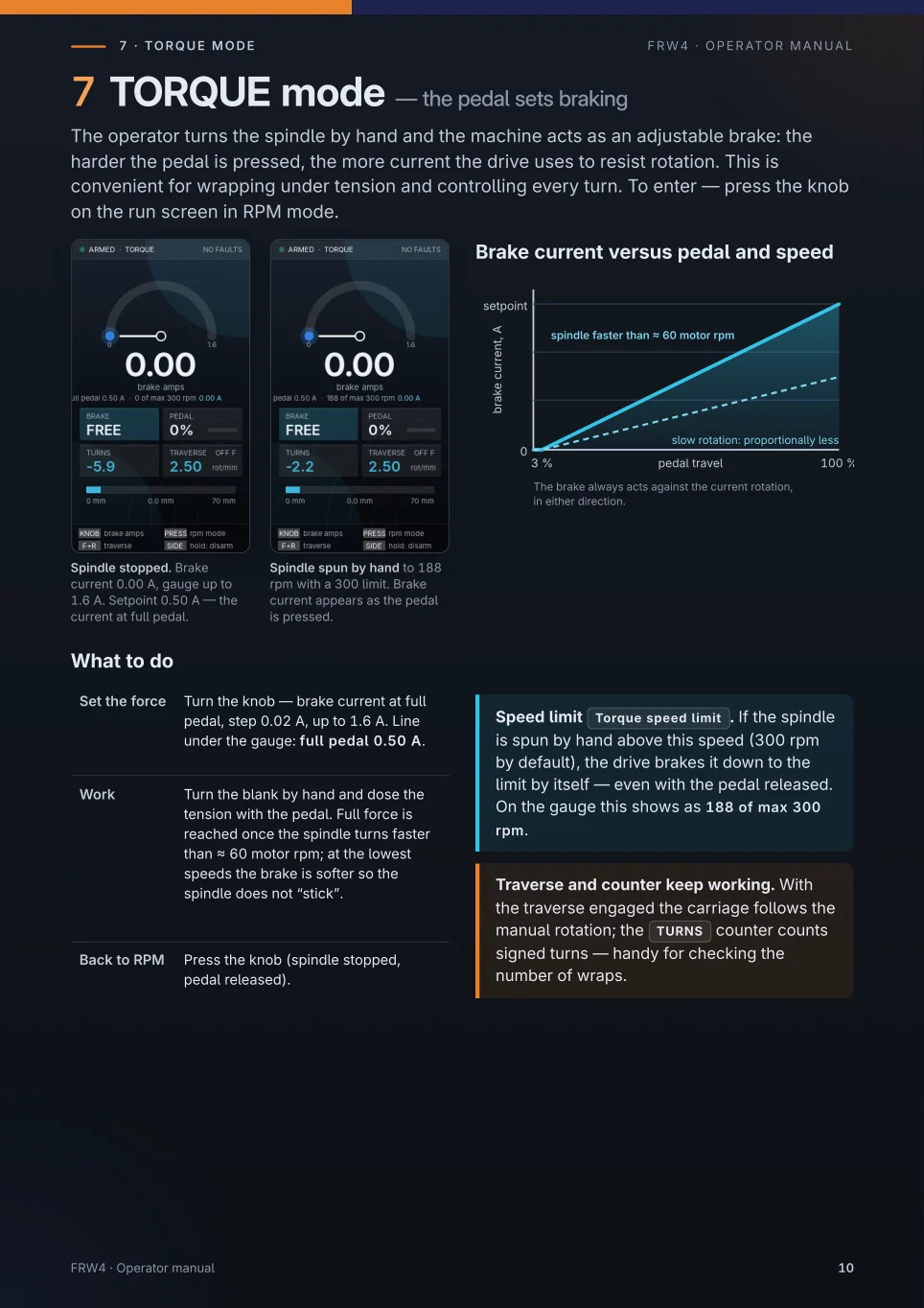
Correction to edition 1.3: TORQUE mode
Edition 1.3 describes TORQUE as an adjustable brake for a spindle turned by hand. That is not how the mode works. The text below replaces this page; the illustration above shows the old description.
What the mode does. The pedal sets the motor current, and with it the torque on the spindle. More pedal gives more torque and faster acceleration. The spindle accelerates until it reaches the Torque speed limit, then the drive holds it at that speed and uses only the current needed to keep it there.
Set the force. Turn the knob: motor current at full pedal, 0–1.6 A in 0.02 A steps (default 0.50 A). The line under the gauge shows the current at full pedal and the limit, for example 0.50 A / 300 rpm.
Speed limit. Setting Torque speed limit, 10–1000 rpm, default 300 rpm. The spindle never runs faster than this in TORQUE.
Light pedal. Bearing and thread drag grow with speed. With a light pedal they can balance the torque below the limit; the spindle then turns at a steady lower speed.
Run screen. Large digits: spindle speed, rpm. Gauge: speed up to the limit. Card MOTOR CURRENT: actual current, A. AT LIMIT: the limit is reached.
Back to RPM. Press the knob with the spindle stopped and the pedal released. Traverse and the TURNS counter keep working as before.
In the PC simulator, to be confirmed for the firmware: with the pedal released no torque is applied and the spindle runs down by friction; SIDE short changes the direction only while the spindle is stopped. The simulator uses an illustrative load model; its acceleration times are not measurements.
The downloadable PDF is the unchanged edition 1.3 and still contains the old description.